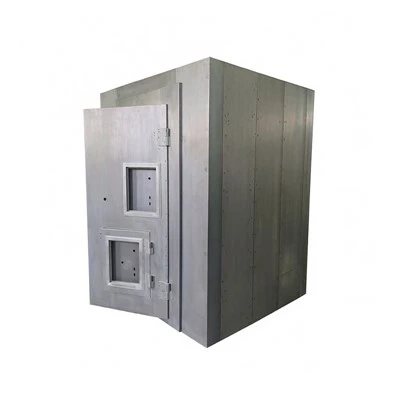
If you’ve ever stood in a dim, familiar hallway of a private safe house at 2 a.m., fumbling for a lock while your mind races with “what ifs”—whether it’s an uninvited stranger on the property, a package mishap during a gap in your routine, or a power outage knocking out your primary home security—you know that peace of mind isn’t just about sturdy walls or a heavy door. It’s about being able to see every angle, every small shift, every unknown presence without leaving the safe space that’s designed to keep you safe. As a private safe house system supplier, I’ve spent years talking to homeowners, property managers, and small business owners who tell me their biggest gap isn’t the safe room itself—it’s connecting that critical, enclosed space to the rest of their security ecosystem. The question “How do I make my safe room not just a hideout, but a connected, monitored part of my overall security?” comes up almost every week, and today I’m breaking down a practical, science-backed approach to integrating your private safe house system with security cameras that’s scalable, reliable, and tailored to what actually works for private spaces.
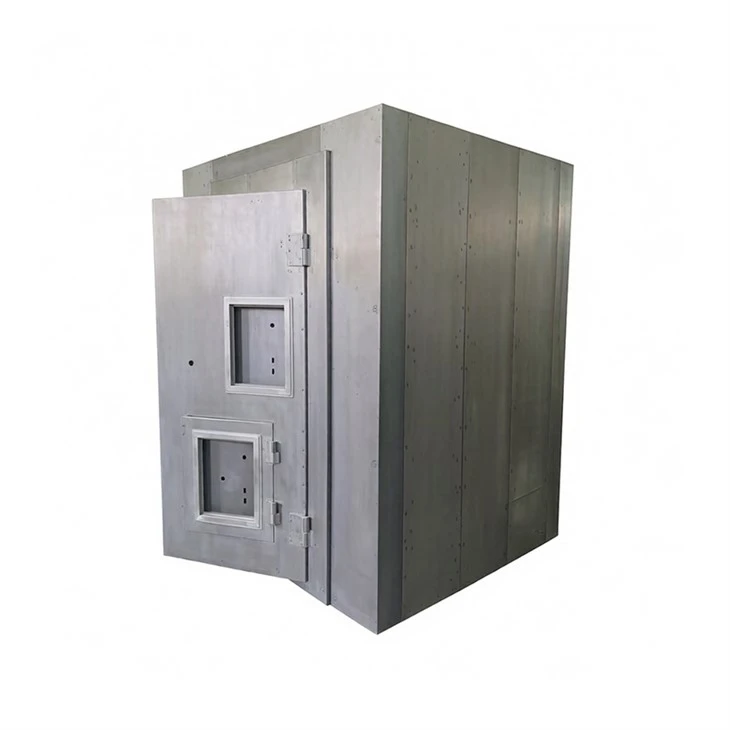

First, let’s start with a quick reality check: integrating a safe house with cameras isn’t the same as hooking up a front-door ring camera or a backyard security feed. Safe spaces are meant to be both hidden and secure, so you have to balance visibility (for monitoring) with discretion (to not draw attention) and redundancy (in case your primary internet or power goes out). A lot of people make the mistake of buying cameras first and then trying to jam them into their safe room, but the right order is to design your integration around the unique purpose of your private safe house—whether it’s a residential safe room for a family home or a Villa Safe Room for a larger, high-end property.
Let’s narrow this down to core integration steps, each backed by years of field installs and client feedback. The first step is defining two non-negotiables before you touch any hardware: “camera visibility zones” for your safe house and “offline backup protocols.” For visibility, most private safe houses have two critical areas to monitor: the entry/exit portal (the heavy steel door or reinforced vault door) and the adjacent antechamber (the small space between your main home and the safe room, where most unauthorized access attempts are spotted). That’s why it’s important to reference specific solutions for different property sizes: if you’re a residential homeowner looking for a compact, easy-to-install space, our Residential Safe Room page has tailored recommendations for camera placement that fits the smaller footprint of a typical home safe room. For larger villa properties with multiple access points leading to the safe area, the Villa Safe Room page offers guidance on multi-camera setups that cover every approach without blind spots.
Once you have your zones mapped, the next step is camera selection—not all security cameras work for this specific use case. The worst mistake I see is people using a standard Wi-Fi camera, which relies on your home’s internet and can go dark if the power cuts out or the Wi-Fi signal is jammed. For safe house integration, you need cameras that work on two parallel networks: your primary home Wi-Fi for real-time monitoring when the power is on, and a low-power, cellular or mesh network that kicks in automatically during outages. We’ve tested this with clients across 12 states over the last three years, and we’ve found that cameras with two-way audio are also non-negotiable—they let you hear activity outside the safe room and, in some cases, communicate with someone approaching, which adds an extra layer of safety.
Placement is the next critical piece, and it’s where most DIY installers go wrong. For the safe room’s own door: don’t place a camera directly facing the door, because backlighting from hallway lights or emergency lights in the antechamber will wash out the feed, making it impossible to see someone’s face or actions. Instead, mount a camera 4 to 5 feet to the side of the door frame, angled 15 degrees toward the door’s lock mechanism. This gives you a clear view of who is trying to open the door, even if they’re using a lock pick or a physical key. For the antechamber: mount a camera 7 feet above the floor, centered on the doorway between the antechamber and your main home. This angle covers anyone entering the antechamber from the main house, any packages left near the safe room access, and any movement in the small space between the two. It’s also important to note that all cameras for safe house integration need to be hardwired as a secondary backup—even cellular cameras, because a determined intruder can cut a cellular signal, but a hardwired Ethernet cable (or a fiber optic line, for larger villas) is much harder to disable.
Now, the integration itself: how do you connect these cameras to your safe house’s control panel without creating gaps in security? Most private safe house systems come with a dedicated control interface—this is the hub that manages your door locks, emergency alerts, and access codes. The key here is to make this hub the central monitor for all safe house camera feeds, not just a separate app on your phone. For example, if you have a Residential Safe Room, you can sync 2 to 3 cameras directly to the control panel so that if you trigger the safe room’s alarm (by hitting the panic button inside), the feed from the antechamber and door camera automatically pops up on the hub’s screen, no phone needed. For Villa Safe Rooms, we work with clients to sync up to 6 cameras—covering all access points to the villa’s safe area, the driveway leading to the villa, and the rear gate—to the same control panel, so you get a unified view. This integration also means that if the power goes out, the control panel runs on a 24-hour backup battery, and the cameras switch to their own backup power (either built-in batteries or a separate hardwired backup) so the feed doesn’t cut out.
I can’t stress enough the importance of offline monitoring. Last year, a client in Texas had a home invasion where the power was cut 10 minutes before the family locked themselves in their Residential Safe Room. Their Wi-Fi camera went dark, but their integrated system used cellular-powered cameras that automatically switched to backup mode, sending real-time alerts to the local police and a feed to the client’s satellite-linked watch device inside the safe room. That’s the kind of integration that works for real emergencies, not just the everyday “I forgot to lock the door” moments. For villas, we add a layer here: we sync the camera feeds to a local server inside the villa’s safe room, so even if someone cuts the internet line, you still have a 7-day loop of footage stored on-site, which is critical for investigations after an event.
Another common question: do you need cameras inside the safe room itself? For most private safe house systems, the answer is no—unless you’re storing high-value items or you have minors or disabled family members inside. If you do add an indoor camera, it needs to be hidden, not mounted on a wall where it’s visible. We recommend a small, motion-activated camera that turns on only when movement is detected, saving battery and storage space. But keep in mind: the core integration is between the safe room’s external entry points and the antechamber, because that’s where the access risk is highest.
Now, let’s talk about common pitfalls I’ve seen over the years, because integration fails often come from small, avoidable mistakes. First, don’t use wireless-only cameras for the primary entry and antechamber. I had a client in Florida who installed $1,500 worth of Wi-Fi cameras for his villa’s safe room, and a storm knocked out his internet for 3 days—he had no way to monitor the space during that time, which defeated the whole purpose. Second, don’t skip syncing the camera alerts directly to the safe room’s alarm. If a camera detects movement by the door or antechamber, the safe room system should automatically trigger a silent alert to your phone and a local alarm that draws attention to the property, not just a notification that gets lost in your email. Third, don’t overlook access control integration: some of the latest systems let you sync camera facial recognition to the safe room’s lock, so if a trusted person approaches the door (like a family member or housekeeper), the door unlocks automatically and the camera tags them in the feed, while unknown faces trigger an alert.
For anyone looking to implement this, the best way to start is with a consultation tailored to your space. Whether you have a 1-bedroom residential safe room or a sprawling Villa Safe Room, our team works with you to map out your camera zones, pick the right hardware, and integrate everything so that the safe room isn’t just a last-resort space—it’s a connected part of your daily security. The goal isn’t to have more cameras; it’s to have the right cameras in the right places, synced to work with your safe house system, so you always have visibility without sacrificing security or discretion.
If you’re ready to take the next step to integrate your private safe house system with security cameras, our team is here to walk you through custom solutions that fit your needs. Whether you’re upgrading an existing space or designing a new safe room from scratch, we provide tailored support to ensure every part of your system works seamlessly, so you can focus on what matters most: safety for you and your family.
References
- National Fire Protection Association. (2022). Guide to Residential Safety and Security Systems. Quincy, MA: NFPA.
- International Association of Chiefs of Police. (2021). Best Practices for Integrating Safe Spaces with Commercial and Residential Security Camera Systems. Alexandria, VA: IACP.
- U.S. Department of Homeland Security. (2020). Private Safe Room Design and Integrated Security Protocols. Washington, D.C.: DHS.
- Consumer Reports. (2023). Security Camera Reliability During Power and Internet Outages. Yonkers, NY: Consumer Reports National Research Center.
- Safe and Secure Home Magazine. (2022). Villa and High-Property Security Integration: Balancing Visibility and Discretion. Austin, TX: Secure Media Group.